
Dota 2 Mobile APKDownload for Android
Dota 2 Mobile is an unofficial, fan-made Unity game for Android with 5v5 Radiant vs Dire matches, a touch HUD and an in-game item shop. Version 1.1 is a 493.8 MiB APK for 64-bit phones running Android 9 or newer.
Unofficial fan project. Not developed or published by Valve.
- Version
- v1.1
- APK size
- 493.8 MiB
- Android
- 9+
- Processor
- arm64-v8a
- Languages
- English, Russian
- Controls
- Touchscreen
What is Dota 2 Mobile?
In short: Dota 2 Mobile APK v1.1 is an unofficial Unity fan game for Android 9 or newer (arm64-v8a, 493.8 MiB). The file is hosted on APKVision’s server, not on this site, and the download button starts that download.
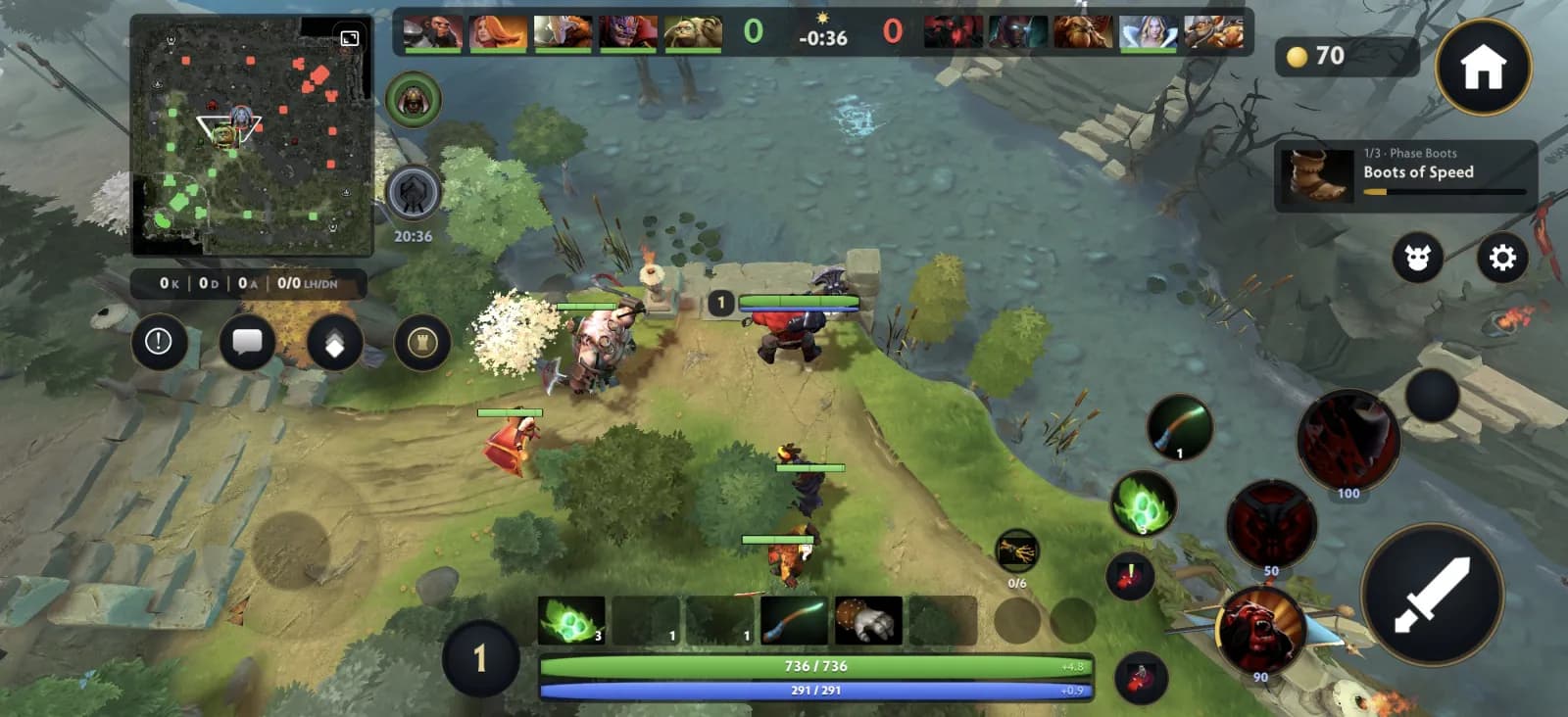
Dota 2 Mobile is a fan-made adaptation of the PC MOBA, rebuilt for Android with the Unity engine. It is not a full port of Dota 2 and not an official Valve release. Our screenshots show a 5v5 match between The Radiant and The Dire, where each player levels a hero, earns gold, buys items and pushes toward the enemy base.
The Android game keeps lane fights, the minimap, buyback and the item shop, and rebuilds the controls for a touchscreen. Everything on this page comes from the v1.1 build and its listing, and anything we could not confirm is marked as unknown.
What the Android game includes
Each item below was visible in our own v1.1 screenshots. Features we did not see are not promised.
5v5 Radiant vs Dire
Two teams of five fight over the lanes. The scoreboard shows last hits, denies, kills, deaths, assists and net worth for every hero.
Heroes seen in one match
The listing publishes no hero list. Our match had Axe, Lina, Juggernaut, Lion and Pudge against Shadow Fiend, Terrorblade, Earthshaker, Crystal Maiden and Techies.
Buyback and respawn
A killed hero waits on a respawn timer or pays gold for buyback, and the kill feed announces the bounty.
Pings, teleport and chat wheel
Ping Attack, Caution, Warning or We Need Vision, teleport with a Town Portal Scroll and send quick team phrases from the chat wheel.
Bot matches
The other nine players in our match were marked as bots. Online matchmaking is not confirmed.
Dota 2 Mobile gameplay screenshots
Five screenshots from a real match on Android: lane gameplay, death and buyback, the map with pings, the chat wheel and the scoreboard.
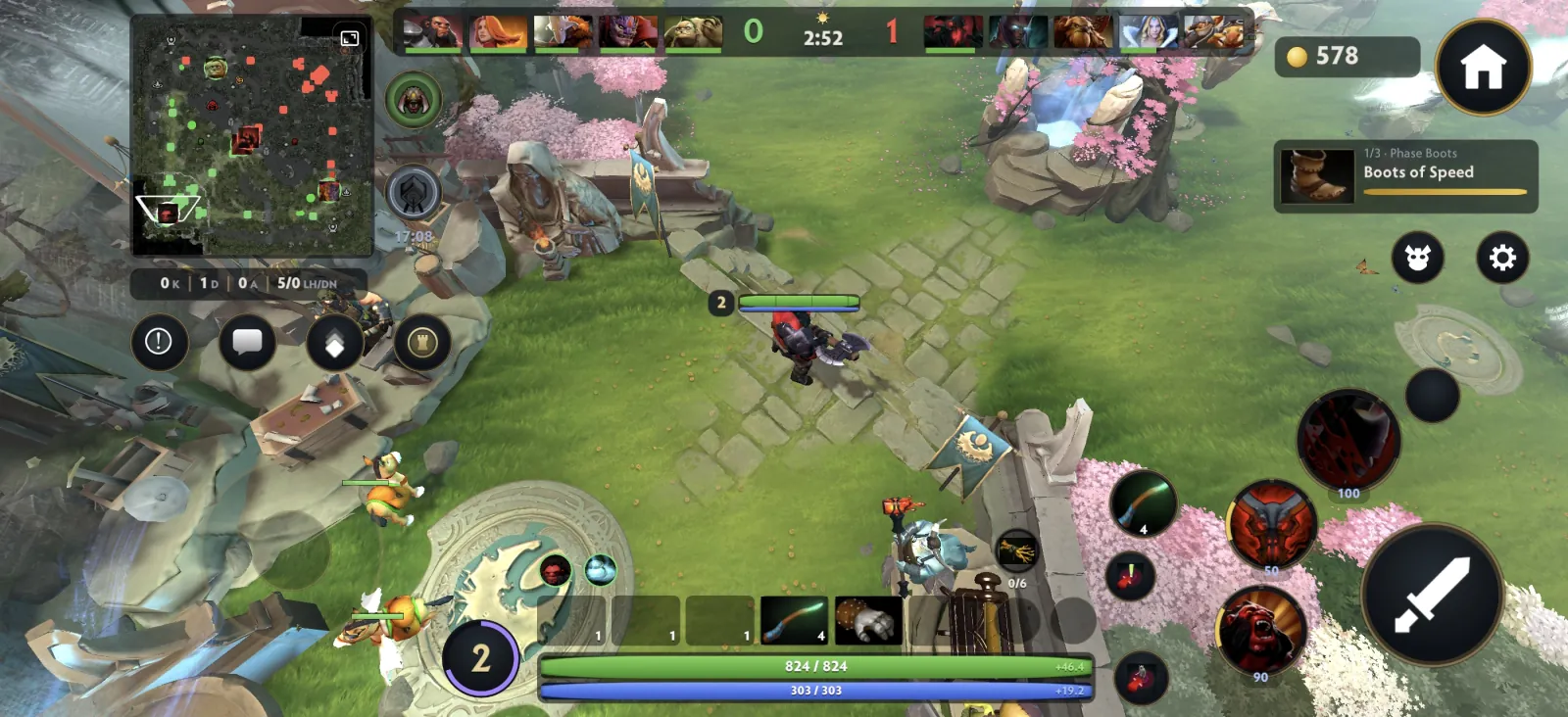
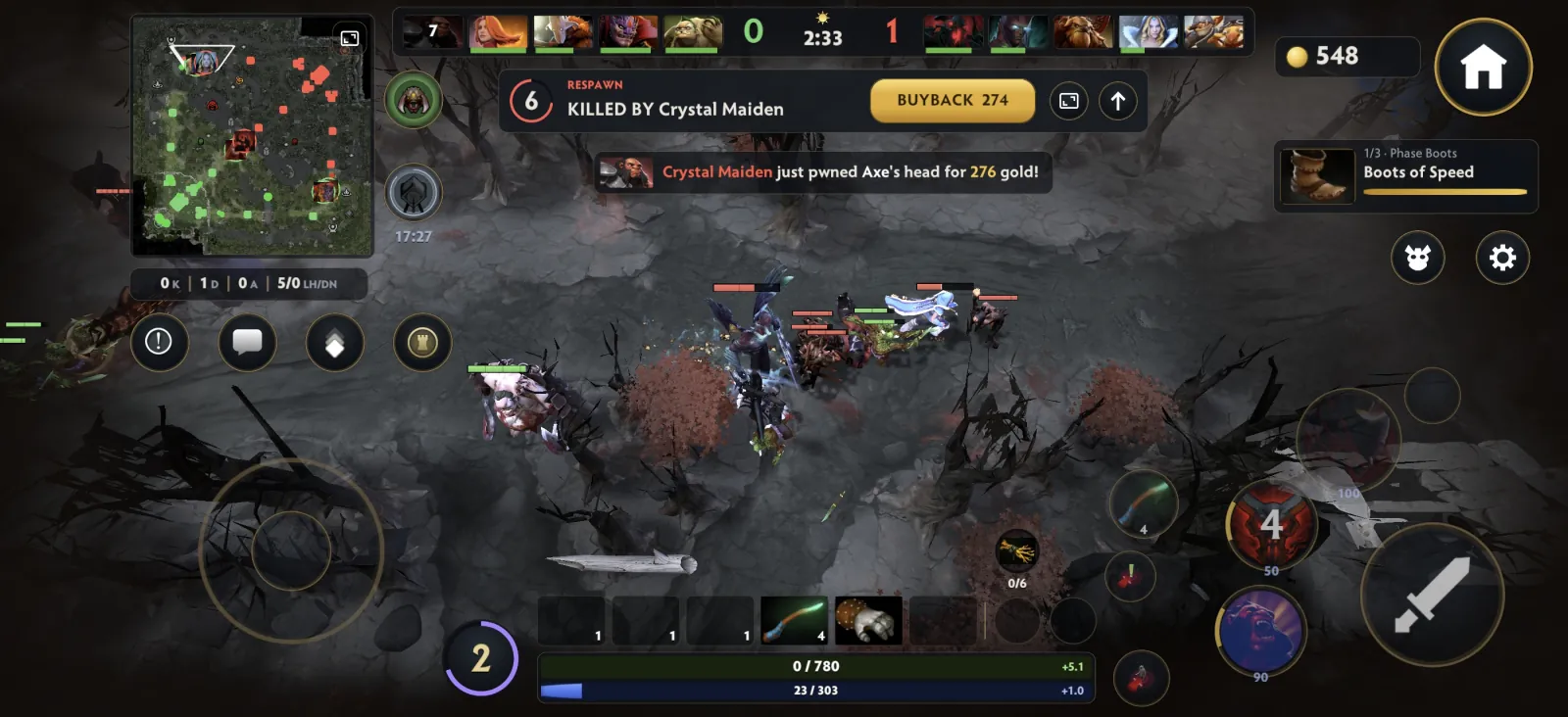
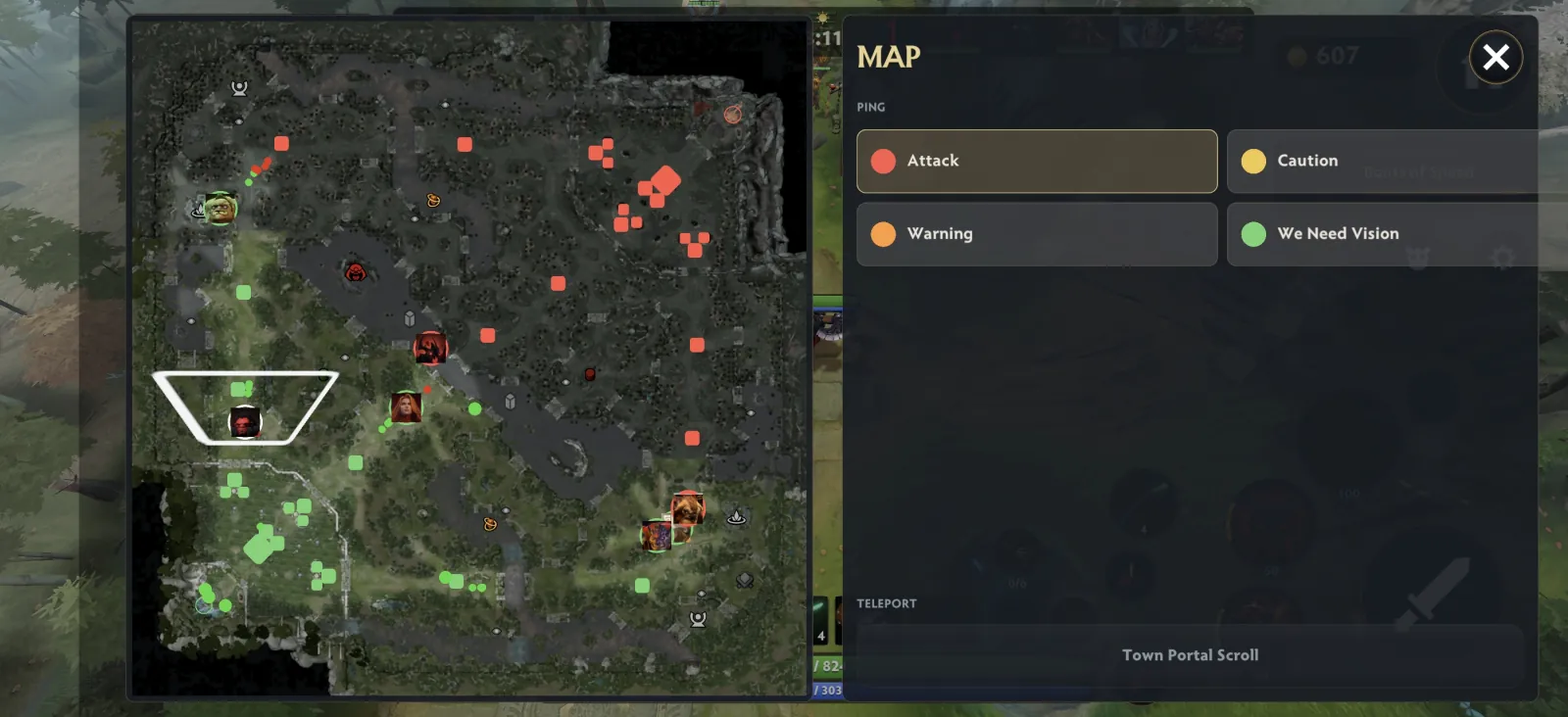
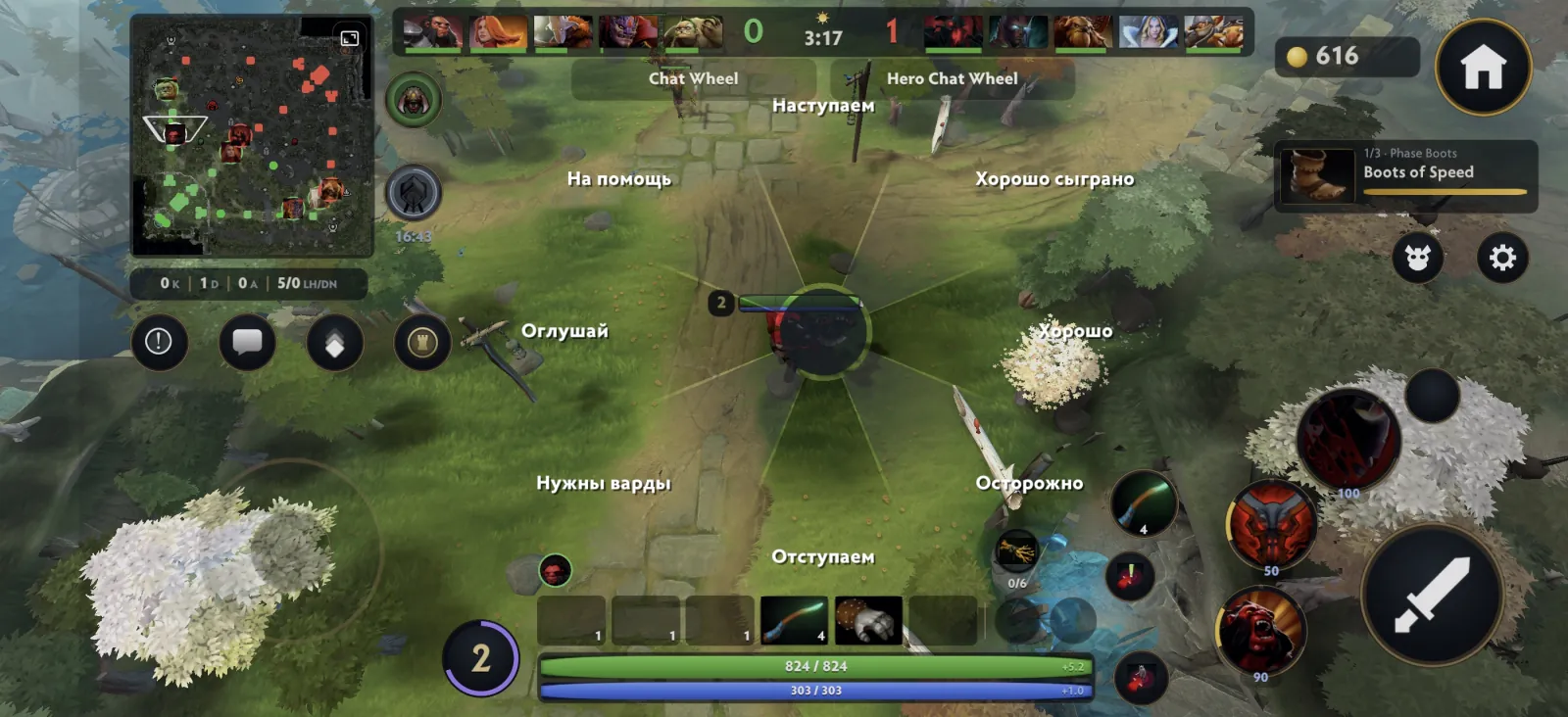
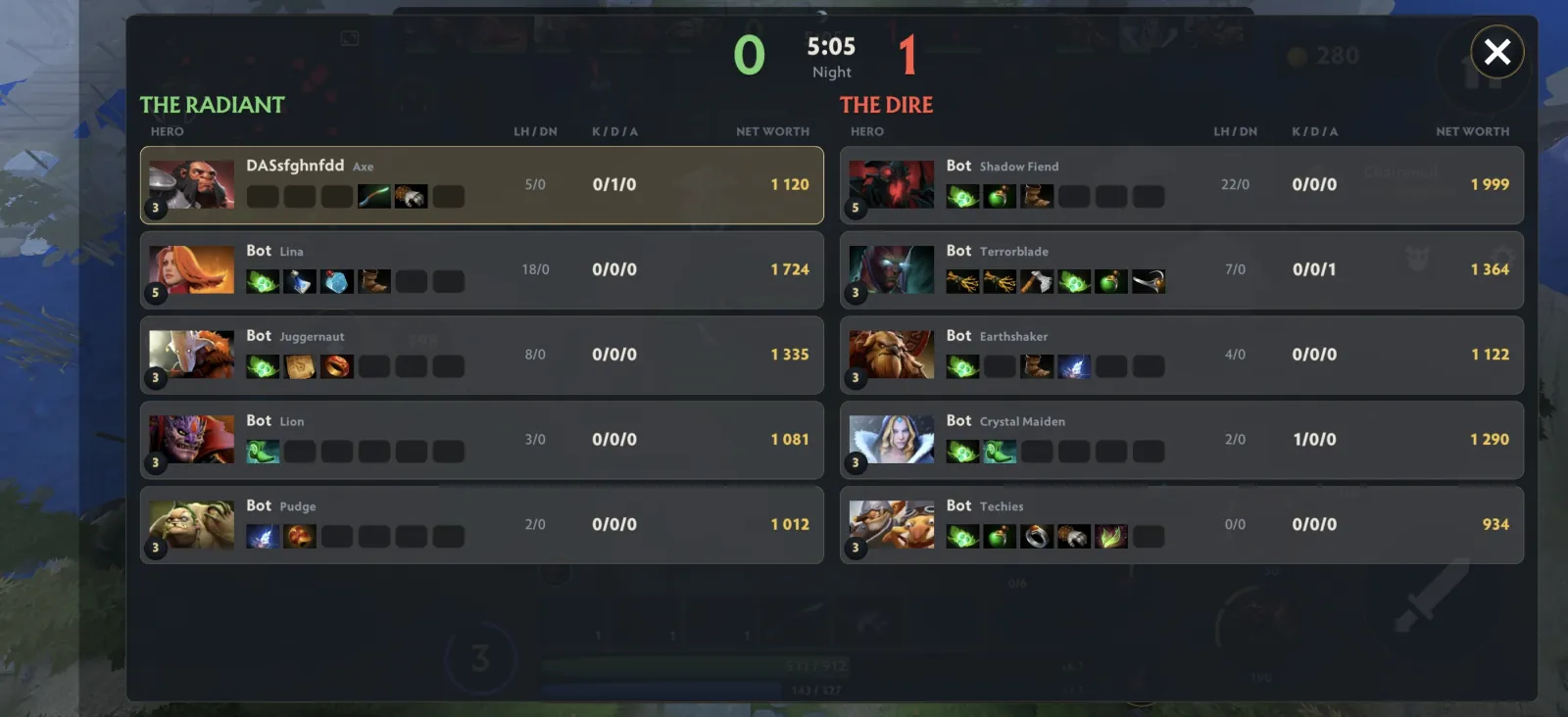
Screenshots were captured on an Android phone from the v1.1 build on 27 October 2026. Tap a screenshot to open it at full size.
Touch controls and settings
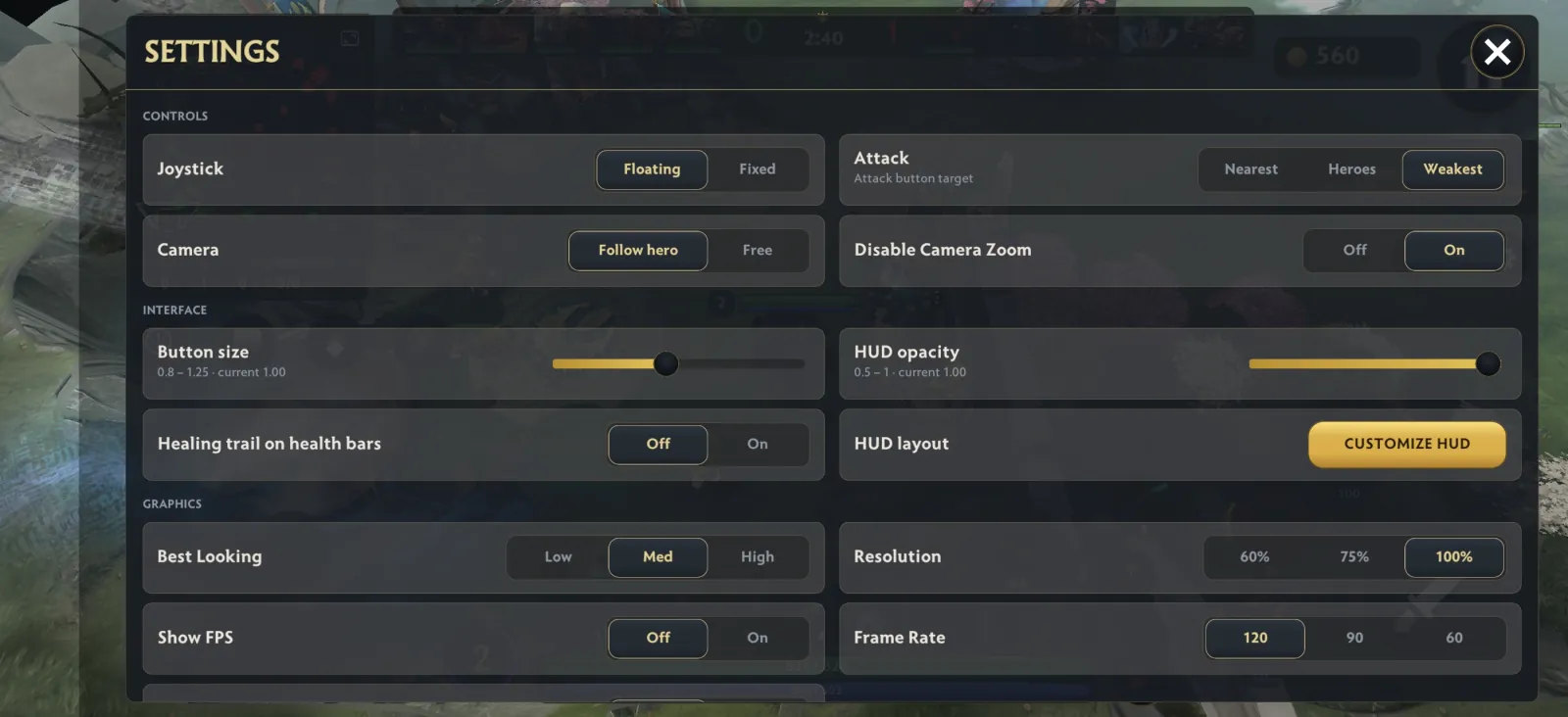
The game is built for a touchscreen: a virtual joystick on the left, an attack button and three ability buttons on the right. The settings panel lets you fit all of it to your phone.
Joystick and camera
Choose a floating or fixed joystick. The camera can follow your hero or stay free, and camera zoom can be switched off.
Attack target
Set the attack button to hit the nearest target, heroes or the weakest target in range.
Button size and HUD
Scale buttons from 0.8× to 1.25×, set HUD opacity from 50% to 100% and open Customize HUD to edit the layout.
Graphics and frame rate
Pick Low, Med or High quality, 60%, 75% or 100% resolution and a 60, 90 or 120 FPS frame rate. Show FPS helps you check performance.
Item shop and quick buy
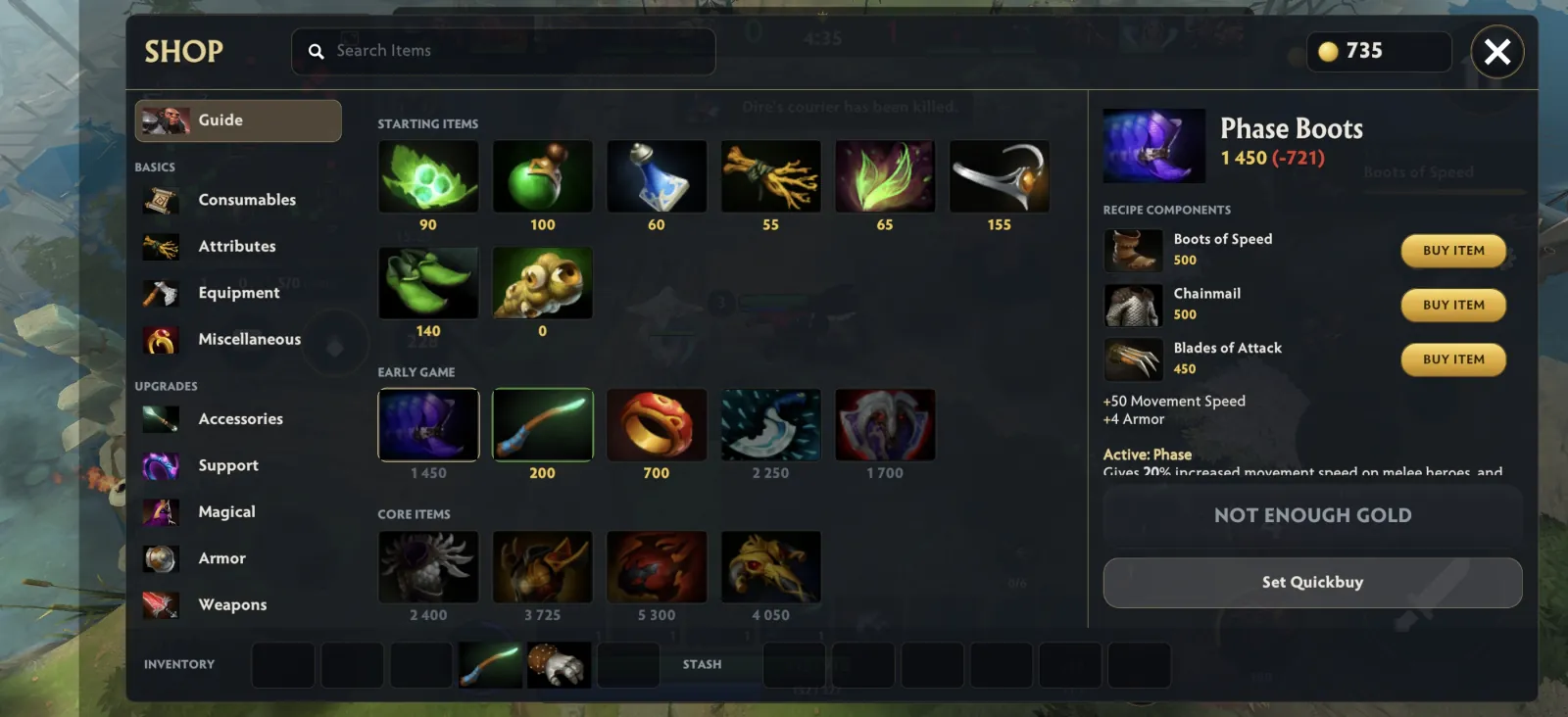
The in-game shop groups items into Guide, Consumables, Attributes, Equipment, Miscellaneous, Accessories, Support, Magical, Armor and Weapons. Starting, early-game and core items show their price, and an item page lists its recipe. In our screenshot Phase Boots cost 1,450 gold and combine Boots of Speed, Chainmail and Blades of Attack. Set Quickbuy pins an item to the in-match quick-buy slot, so you can buy it with one tap when you have the gold.
Dota 2 Mobile requirements for Android
The v1.1 download page lists Android 9 (Pie) to Android 16, a 64-bit ARM processor (arm64-v8a), 4–6 GB of RAM or more and 617 MB of free storage. A phone with only a 32-bit processor cannot run this build.
- Android
- Android 9 (Pie) – Android 16
- Processor
- arm64-v8a
- RAM
- 4–6 GB+
- Free storage
- 617 MB
APKVision’s main page also shows “Android 5.0” in one field, but its download page and system requirements say Android 9 and up, so we use the stricter figure. On a slower phone, try Low quality, 60% resolution and 60 FPS in Settings. We have not benchmarked individual phones.
How to install the Dota 2 Mobile APK
Four steps on your Android phone. Keep about 617 MB free before you start.
Download the APK
Tap Download Dota 2 Mobile APK. Your browser saves Dota-2-Mobile-v1.1-APKVISION.apk (493.8 MiB) from APKVision’s server.
Check the file
Compare the size with the release details below. The SHA-256 belongs to the v1.1 file we checked, and a match only proves the files are identical.
Allow the install
Open the APK from Downloads. If Android asks, allow your browser or file manager to install unknown apps, then tap Install.
Open the game and set controls
Launch the game and check Settings first: joystick style, attack target and graphics, then start a match.
If the install fails, check for Android 9 or newer, a 64-bit phone and free space. An update also fails when an older build signed with a different key is installed, so uninstall that build first.
Download Dota 2 Mobile APK v1.1
One release, one file. The APK is hosted by APKVision, and the button downloads it straight from APKVision’s server.
v1.1 · 493.8 MiB
The file comes from APKVision’s server, not from InvokerGame, and it is 493.8 MiB, so use Wi-Fi. If the download does not start, open the APKVision listing linked below.
Size, hash and signature checked ·
| Version | v1.1 |
|---|---|
| APK size | 493.8 MiB |
| File name | Dota-2-Mobile-v1.1-APKVISION.apk |
| Platform | Android |
| Android | Android 9 (Pie) – Android 16 |
| Processor | arm64-v8a |
| RAM | 4–6 GB+ |
| Free storage | 617 MB |
| Package name | com.temka.dota2mobile |
| Engine | Unity |
| Genre | Strategy / Action / MOBA |
| Languages | English, Russian |
| Controls | Touchscreen |
| Listed on APKVision | 2026-10-22 |
| Signing certificate | Self-signed, CN=APKVISION.ORG |
517,741,536 bytes · 517.7 MB. Download listings commonly label this as 493.8 MB.
File SHA-256 and signing certificate
APK SHA-256
16df8b634cb7a3e19fed8660b0cb05c263879bc2a8c921385be51b323d2a0be1Certificate SHA-256
a54b28d5675941c1d39d6937b4f8e4c69966dede417aca2785bd8dc840c8d1d8The APK we checked is signed with a self-signed APKVISION.ORG certificate, not by the original developer. A matching hash identifies the file; it is not a security certification.
Is the Dota 2 Mobile APK safe?
We cannot certify any APK as safe. The game is not on Google Play, so judge the source and the file yourself.
Use the button on this page
Download only with the button here and avoid mirrors that ask for payments or extra apps.
Know who signed it
The file we checked was re-signed with an APKVISION.ORG certificate, so it will not update over a build signed by anyone else.
Read the permissions
Android lists the permissions during install. Stop if they look excessive for a game.
Keep accounts out
This is not a Valve product, so never enter Steam or Valve credentials in it.
Dota 2 Mobile APK: questions before you download
Is Dota 2 Mobile an official Valve game?
No. It is an unofficial fan-made adaptation built with Unity. Dota 2, its characters and assets belong to Valve and the respective rights holders. APKVision lists Valve as developer but also describes the game as fan-made.
How do I download the Dota 2 Mobile APK?
Tap the download button on this page. Your browser downloads the 493.8 MiB file straight from APKVision’s server. Then open it from Downloads and allow installs from your browser or file manager.
Which Android phones can run Dota 2 Mobile?
The v1.1 page lists Android 9 (Pie) to Android 16, an arm64-v8a 64-bit processor, 4–6 GB of RAM or more and 617 MB of free storage.
What language is Dota 2 Mobile in?
APKVision lists English and Russian and says the game follows the phone’s system language. It adds that the English text was machine-translated. Our screenshots show English menus and a Russian chat wheel. Changing this website’s language does not change the game.
Is Dota 2 Mobile a port of the PC game with every hero?
No. The listing calls it a fan-made adaptation, not a full port. No hero list is published, and one match we captured showed ten heroes.
Can I play Dota 2 Mobile online?
We confirmed matches against bots. Online matchmaking and multiplayer servers are not confirmed, so do not expect the official Dota 2 servers.
Is the Dota 2 Mobile APK safe to install?
We cannot guarantee it. The game is not distributed through Google Play, and the file we checked is signed with an APKVISION.ORG certificate. Download with the button on this page, compare the file size and review the permissions Android shows.
Why does Dota 2 Mobile fail to install?
Usual causes are Android older than 9, a phone without a 64-bit ARM processor, less than 617 MB of free space or an older build signed with another key. Fix those and try again.
Is there a Dota 2 Mobile version for iPhone or iPad?
This page covers the Android APK only. The listing offers no iPhone or iPad build, and an APK cannot be installed on iOS.
How big is the APK, and does it need an OBB file?
The APK is 517,741,536 bytes, or 493.76 MiB, and some listings round it to 493.8 MB. The listing mentions no OBB or extra data pack. If the game asks for more data, follow the in-game instructions.
Ready to try Dota 2 Mobile on Android?
Dota 2 Mobile APK v1.1 · 493.8 MiB · Android 9+ · English and Russian · touch controls.
Related Dota 2 tools and guides
- Invoker spell trainerPractice all 10 spells, muscle-memory combos and custom keybinds in your browser.
- Dota 2 Fantasy CalculatorRank TI 2026 core pairs, mid players and support pairs with custom emblems, traits and titles.
- Invoker strategy guidesRead original guides on spell combinations, hotkeys and beginner mistakes.